
CryptDrive
CryptDrive 用來儲存與管理文件。對已登入使用者而言,它是 CryptPad 的預設首頁,也可從其他頁面進入:
在左上角的標誌
Click。使用者選單(右上角頭像)> CryptDrive。
顯示方式
雲端硬碟中的文件可以 清單或 網格方式顯示。若要切換,請使用雲端硬碟工具列右側(頭像下方)的按鈕。
在網格模式下,CryptPad 可顯示文件縮圖。此功能可在 使用者設定 中開啟。
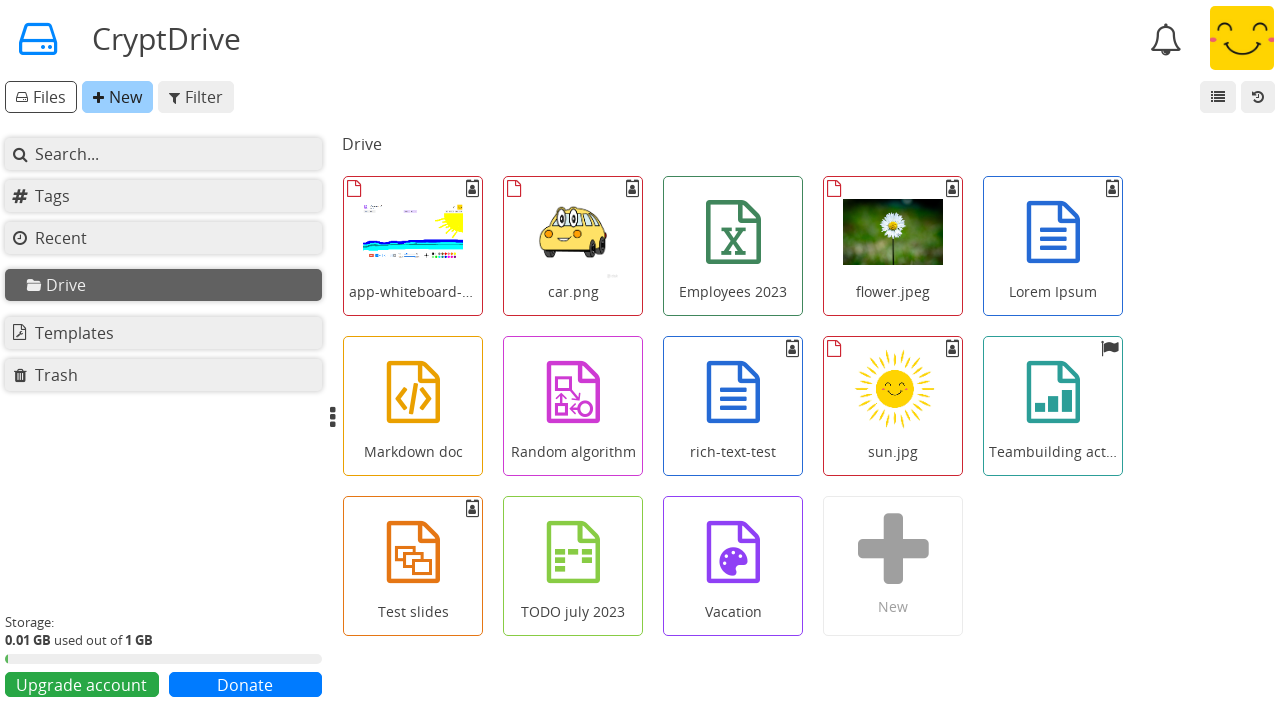
CryptDrive 網格檢視。
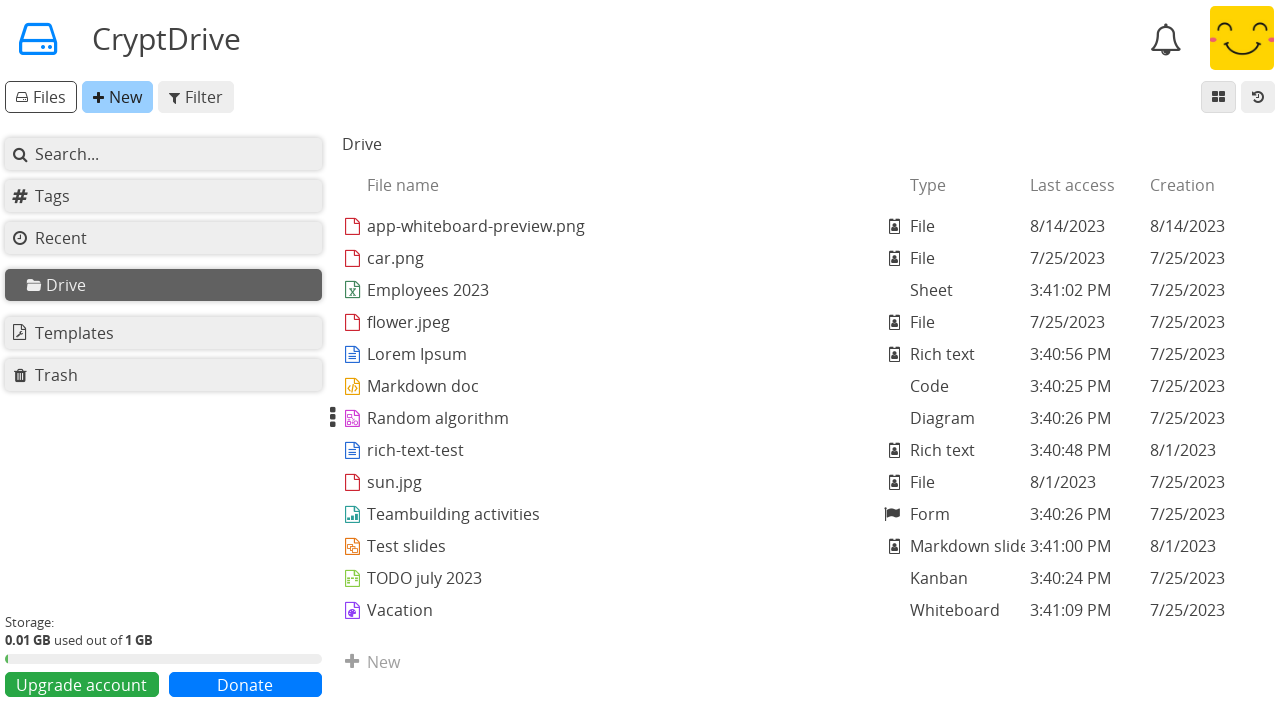
CryptDrive 清單檢視。
管理文件
資料夾
已登入使用者
在雲端硬碟中建立資料夾的方式有以下幾種:
工具列中的 新增 > 資料夾。
按滑鼠右鍵> 新增資料夾。Ctrl + e > 資料夾。
建立資料夾後,可從雲端硬碟拖曳文件加入其中,也可在資料夾之間拖曳搬移檔案。可利用左側邊欄的樹狀結構,將檔案拖放到目標位置。
若要變更資料夾顏色:
在資料夾上
Right click> 變更顏色。
若要分享資料夾及其所有內容:
在資料夾上
按滑鼠右鍵> 分享。該資料夾會轉為 共用資料夾。
重新命名
在 CryptPad 上重新命名文件有兩種方式:一種會變更所有使用者的文件標題,另一種只會變更您雲端硬碟中的顯示名稱。
若要變更文件標題(會影響所有將此文件加入雲端硬碟的使用者):
在文件工具列上
Click標題或 按鈕。輸入新標題。
以 按鈕或 Enter 鍵儲存。
若只變更您雲端硬碟中的文件顯示名稱:
在雲端硬碟中的文件上
按滑鼠右鍵> 重新命名。輸入新名稱。
按 Enter 鍵儲存。
圖示表示該文件在您雲端硬碟中的標題與其他使用者看到的不同。
刪除
在 CryptPad 上刪除文件有兩種方式:
移除 文件表示文件不再顯示於雲端硬碟,但仍保留在資料庫中。其他已儲存此文件的使用者,其雲端硬碟中仍會保留。可透過 歷史紀錄 在雲端硬碟中還原。
銷毀 文件會從資料庫永久刪除。該文件會從所有儲存它的雲端硬碟中刪除,且無法透過雲端硬碟歷程還原。 文件擁有者
备注
若文件未儲存在任何雲端硬碟中,90 天後會從資料庫 銷毀 (此延遲天數可由服務管理員設定)。
從 CryptDrive 移除 文件。
將文件從雲端硬碟拖曳到 垃圾桶。
按滑鼠右鍵> 移到垃圾桶選取文件後按 Del 鍵。
從 CryptDrive 移除 文件,且不先放入垃圾桶:
選取文件後按 Shift + Del 鍵。
若要清空垃圾桶:
在雲端硬碟左側的 垃圾桶**分頁上 ``Right click`` > |trash-o| **清空垃圾桶。
點選 垃圾桶**分頁進入垃圾桶 > |trash-o| **清空垃圾桶。
清空垃圾桶時,若您是垃圾桶中部分文件的 擁有者,系統會詢問您要 移除 還是 銷毀 這些文件。
若要 銷毀 文件且不先放入垃圾桶:
在雲端硬碟中的文件上
按滑鼠右鍵> 銷毀。 文件擁有者
备注
文件銷毀後,仍可能出現在其他使用者的雲端硬碟中。文件一旦被加入某人的雲端硬碟,因 CryptPad 的加密機制,無法再收回。因此若使用者曾儲存過該文件,銷毀後仍可能在其雲端硬碟中看到,但將無法開啟該文件。
歷程
雲端硬碟的歷程會儲存,必要時可還原。在雲端硬碟中:
點選右上角(頭像下方)的 歷程按鈕。
使用 與 箭頭在歷程中前後移動。
以 還原 恢復顯示的版本,或以 關閉 離開歷程且不還原。
為節省儲存空間,可在 使用者設定 中刪除 CryptDrive 歷程。
备注
共用資料夾 有獨立的歷程,與 CryptDrive 歷程分開。還原雲端硬碟歷程不會影響共用資料夾;反之,還原共用資料夾歷程也不會影響雲端硬碟其他部分。
標籤
已登入使用者
可用標籤將文件歸入多個分類。您的標籤不會被其他使用者看到。
雲端硬碟中的 標籤 分頁會顯示所有使用中的標籤及其對應文件。
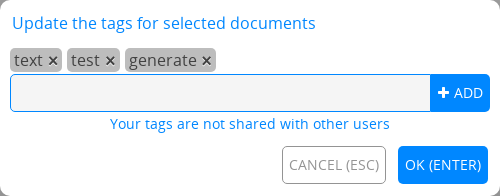
若要為文件新增或移除標籤:
在雲端硬碟中:在文件上按滑鼠右鍵 > 標籤 。
在文件中: 檔案 > 標籤。
若要管理多個文件的標籤:
在 CryptDrive 中按住 Ctrl +
Click選取多份文件。在選取的文件上
按滑鼠右鍵> 標籤。
此時只會顯示所有選取文件共有的標籤。新增或移除的標籤會套用到所有已選取的文件。
範本
已登入使用者
範本提供可重複使用的起點,用來建立結構類似的文件,例如發票、信箋、報告等。
若要建立範本:
在雲端硬碟中選擇 範本 分頁。
工具列中的 新增。
或
在既有文件中: 檔案 > 另存為範本。
或
建立 新文件。
在建立畫面上選取 新範本。
若要使用範本:
建立 新文件 時選取範本。
在現有文件中: 檔案 > 匯入範本。請注意:此選項會以範本**取代**文件內容。
儲存配額
達到儲存上限時,您仍可編輯現有文件,但無法建立新文件。
若要釋出儲存空間,您可以清理:
必要時,管理員可以輕鬆提高特定帳號的儲存上限。
备注
部分 CryptPad 站點提供付費方案,可使用更多儲存空間。